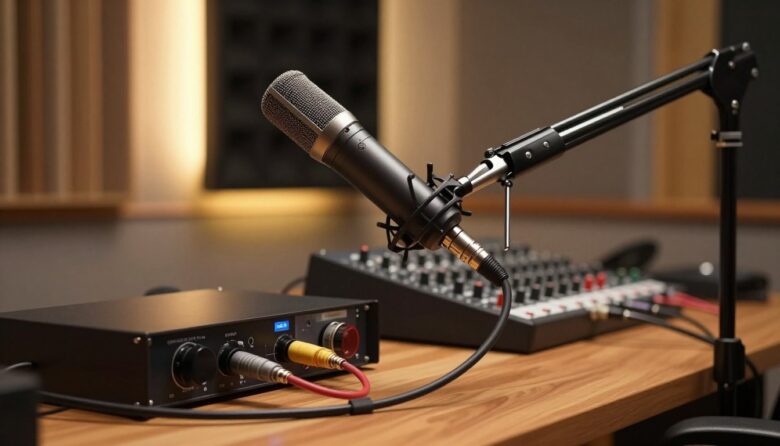
Phantom power is a DC supply sent through a balanced microphone connection to run the electronics inside many condenser microphones. It is commonly labeled 48V, +48V, or P48 on cameras, recorders, mixers, and audio interfaces.
Whether your shotgun microphone needs it depends entirely on the model. Some professional XLR shotguns require P48, some can use either phantom power or an internal battery, and many compact 3.5mm or USB microphones use a different power system. Checking the microphone manual is more reliable than judging by its size, price, or connector alone.
Key takeaways
- Phantom power carries DC and balanced audio through the same microphone cable.
- A P48 input applies the same nominal voltage to XLR pins 2 and 3 relative to pin 1.
- Not every shotgun microphone needs phantom power. Battery-powered, USB, and plug-in-powered models work differently.
- Use only a voltage supported by the microphone manufacturer.
- Phantom power can shorten recorder or mixer battery runtime, especially with several powered microphones.
- Turn levels down and disable phantom power before changing connections.
What does 48V phantom power do?
A condenser microphone contains active electronics that need a power source. In an XLR shotgun microphone, phantom power can supply that energy without requiring a separate power cable. The microphone sends its audio back through the same balanced connection.
The term 48V describes the nominal supply rather than a 48-volt difference across the two audio conductors. On a conventional three-pin XLR connection, pins 2 and 3 each receive the same DC voltage relative to pin 1. Because the voltage is applied equally, the balanced audio circuit responds to the difference between pins 2 and 3 rather than to the shared DC supply.
This arrangement is one reason phantom power can coexist with audio on a normal balanced microphone cable. It does not mean that every device with an XLR connector provides phantom power, however. The input must specifically be designed and enabled to supply it.
Phantom power is not the same as plug-in power
Small camera and smartphone microphones often use low-voltage plug-in power through a 3.5mm connector. Phantom power and plug-in power are not interchangeable. A passive cable adapter can change the connector format, but it cannot turn a low-voltage camera input into a proper P48 source.
This distinction is particularly important when comparing XLR and 3.5mm shotgun microphones. An XLR mic that requires P48 normally needs a compatible camera adapter, field recorder, mixer, interface, transmitter, or external phantom supply.
Does your shotgun microphone need phantom power?
Look for a power requirement in the manual, specification sheet, product label, or battery compartment. Common descriptions include P48, 48V phantom, 24–48V phantom, AA battery or P48, and plug-in power.
For example, the Sennheiser MKH 416 is specified for P48 operation and has no internal battery option. The RØDE NTG2 is a dual-powered design that can operate from P48 or a removable AA battery. These are two valid designs, but they require different planning when connected to a camera or recorder.
Phantom-only XLR shotguns
A phantom-only microphone needs a compatible supply whenever it is used. If the camera has no XLR input with phantom power, adding a simple XLR-to-3.5mm cable will not solve the problem. A powered XLR adapter, recorder, mixer, interface, or inline phantom supply is required.
Dual-powered shotgun microphones
Some microphones can switch between P48 and an internal battery. This is useful when moving between professional XLR recorders and cameras without phantom-equipped inputs. Follow the microphone’s instructions for selecting the power mode and removing batteries during long-term storage.
Do not assume the microphone has identical sensitivity, headroom, noise, or battery behavior in both modes. Some dual-powered designs maintain similar performance, while others publish different specifications for different supply voltages.
Compact on-camera and mobile microphones
A 3.5mm on-camera microphone may use plug-in power, an internal battery, or no external power at all. USB microphones and digital camera microphones may receive power through their data connection. These systems are not P48 even when the microphone is described as a condenser.
When selecting a model, compare its power requirements with the inputs already available in your kit. The same compatibility check also matters when reviewing the best shotgun microphones for content creation.
Voltage and current requirements
P48 is the common designation for nominal 48-volt phantom power, but some equipment can also provide lower settings such as 12V or 24V. A microphone may support one voltage, several voltages, or P48 only.
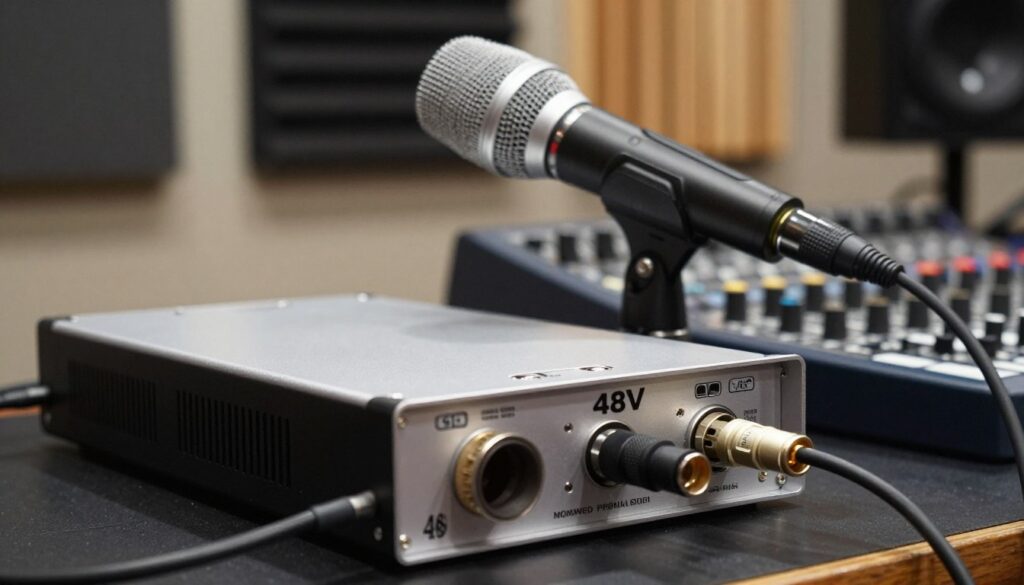
Lowering the voltage is not automatically safe or beneficial. If the microphone is designed for a range of phantom voltages, a lower supported setting may reduce power consumption. If it requires P48, using a lower setting can result in no output, reduced headroom, lower sensitivity, or distortion.
Current draw also matters. The microphone specification may list its consumption in milliamps, while the recorder or mixer may state how much phantom current it can provide per channel. This becomes especially important when several microphones are connected to a battery-powered device.
The voltage measured at a connected microphone can be lower than the source’s open-circuit voltage because current passes through the phantom-feed resistors. That is part of the circuit’s normal operation. A simple unloaded voltage reading therefore does not confirm that a supply can deliver enough current to a particular microphone.
Input impedance is a separate specification
Input impedance affects how the microphone output interacts with the preamp, but it does not determine whether the mic needs phantom power. Check both specifications independently. A device can provide the correct voltage while still being set to the wrong input mode, such as line rather than microphone level.
How to connect a phantom-powered shotgun mic safely
- Turn the input gain and monitoring level down.
- Switch phantom power off before connecting the microphone.
- Connect the mic with a correctly wired, balanced XLR cable.
- Set the input to microphone level rather than line or instrument level.
- Enable the voltage specified by the microphone manufacturer.
- Allow the microphone a moment to stabilize, then raise the gain while watching the meters.
- Before disconnecting, lower the levels and switch phantom power off again.
Connecting or disconnecting while phantom power is active can produce a loud pop. That pop may be unpleasant in headphones and can reach speakers or recorded tracks. Muting the input and following a consistent connection order reduces the risk.
Once the microphone is powered, phantom voltage does not replace normal level adjustment. Use the recorder’s preamp controls and meters to set an appropriate recording level. The guide to setting gain and preventing clipping explains that part of the signal chain in more detail.
Can phantom power damage other equipment?
A correctly wired balanced moving-coil dynamic microphone is generally unaffected by phantom power because both signal conductors receive the same DC voltage. Active dynamic microphones are an exception: their built-in electronics may intentionally use phantom power.
Ribbon microphones require more caution. Many correctly wired modern ribbon microphones can tolerate phantom power, and some active ribbons require it. Older models, unusual wiring, damaged cables, unbalanced adapters, and hot-plugging can create a damaging voltage difference. Follow the microphone manufacturer’s instructions rather than relying on a blanket rule.
Do not send phantom power into a line output, wireless receiver, unbalanced device, or adapter unless its documentation says the connection is protected or compatible. The fact that a connector fits does not prove that it can accept DC.
Troubleshooting phantom-power problems
When a powered shotgun microphone produces no signal, begin with the simple settings before replacing equipment.
No audio from the microphone
- Confirm that the microphone actually requires phantom power.
- Check that phantom is enabled on the correct input or channel.
- Verify that the input is set to microphone level.
- Use a known-good balanced XLR cable without an unbalanced adapter in the path.
- If the mic supports battery operation, check the battery and power-mode switch.
- Test the microphone on another compatible P48 input if one is available.
Weak, intermittent, or distorted audio
A microphone designed for P48 may behave poorly on an unsupported lower voltage. Insufficient current from an adapter or transmitter can create similar symptoms. Also check for a nearly depleted internal battery, damaged cable conductors, dirty connectors, an engaged input pad, or an incorrect line-level setting.
Hiss should not automatically be blamed on phantom power. Excessive preamp gain, a distant microphone, a low-output mic, cable faults, and noisy adapters are separate possibilities. Use the steps in the guide to fixing hiss and background static to isolate the source.
Hum, buzz, or crackling
Unbalanced wiring, damaged shielding, loose XLR pins, and unsuitable adapters can disturb the balanced connection. Replace one component at a time, beginning with the microphone cable. Avoid routing mic cables tightly alongside power supplies and other likely interference sources.
Recorder batteries run down quickly
Generating phantom power consumes energy from a battery-powered recorder, mixer, camera adapter, or transmitter. Runtime depends on the supply design, selected voltage, number of powered channels, and each microphone’s current draw. Disable phantom on unused channels and carry an appropriate power reserve for long sessions.
Checking phantom voltage
A technician can check an unloaded XLR input by comparing pin 1 to pins 2 and 3. On a conventional P48 input, the two readings should be similar, while there should be little DC difference between pins 2 and 3. This test does not confirm performance under load, and careless probing can short adjacent pins. Use a purpose-made tester or qualified service technician if electrical measurement is outside your experience.
Options when your camera does not provide P48
Use the microphone’s internal battery
If the mic officially supports battery operation, this is usually the simplest solution. Confirm the required battery type and check its condition before recording. Keep a spare, and remove disposable cells before storing the microphone for an extended period.
Add a field recorder, mixer, or camera XLR adapter
A portable recorder or powered camera adapter can provide an XLR microphone input, phantom power, gain controls, and level meters. Check whether phantom is available per channel or only through a global switch. A global switch requires extra care when other devices share the inputs.
Use an external inline phantom supply
An inline supply sits between the microphone and the receiving input. It must provide a voltage and current compatible with the mic while passing balanced microphone-level audio to the next device. The receiving camera or recorder still needs a suitable mic input and may need an appropriate balanced-to-unbalanced interface.
Choose a transmitter that supplies phantom power
Some plug-on and boom transmitters provide selectable P48, but many bodypack transmitters supply only low-voltage bias for lavalier microphones. Check the transmitter’s connector wiring, input level, phantom voltage, current capacity, and expected battery runtime before using it with a shotgun mic.
Understand what an adapter is converting
Some XLR adapters take P48 from a mixer and convert it to the lower bias voltage required by a miniature microphone. That is the opposite of generating P48 for a professional XLR shotgun. Read the adapter’s signal direction and power description carefully; similar-looking products may perform entirely different jobs.
Planning a reliable field setup
Power compatibility should be settled before the microphone is mounted. Write down the mic’s voltage requirement, current draw, connector type, and backup power option. Then confirm those details against the recorder, camera adapter, or transmitter manual.
- Pack at least one tested spare XLR cable.
- Carry the correct batteries or external power bank for the recorder.
- Disable phantom on unused channels.
- Record and monitor a short test before the subject arrives.
- Check the entire signal path again after changing an adapter or wireless transmitter.
Microphone placement remains more important than the choice between battery and phantom operation. Getting a shotgun closer to the speaker usually provides a larger improvement than changing power sources. See the comparison of boom-pole and on-camera mounting when planning the rest of the rig.
The practical answer
Your shotgun microphone needs phantom power only if its documentation says it does. A phantom-only XLR model requires a compatible supply, while a dual-powered mic can use its approved battery option. Compact camera and mobile microphones may use plug-in power, internal batteries, or USB instead.
Before recording, match the microphone’s voltage and current requirements to the input, use a balanced cable, enable phantom only where needed, and perform a monitored test. That short check prevents far more problems than assuming every condenser shotgun uses the same power system.
FAQ
What is 48V phantom power?
It is a nominal DC supply sent through a balanced microphone connection to power compatible microphone electronics. In a conventional three-pin XLR circuit, the same DC voltage is applied to pins 2 and 3 relative to pin 1.
Do all shotgun microphones require 48V?
No. Some require P48, some accept a range of phantom voltages, some offer internal battery operation, and many 3.5mm or digital models use another power method. Check the exact model’s specifications.
What happens if phantom power is off?
A phantom-only condenser microphone will normally produce no usable output. A dual-powered mic may continue working if its internal battery and battery mode are active.
Can a 3.5mm camera input power a professional XLR shotgun?
Not normally. Camera plug-in power is different from P48. A passive connector cable cannot create the voltage and current required by a phantom-powered XLR microphone.
Is 24V safe for a 48V microphone?
Only if the microphone manufacturer lists 24V as an acceptable supply. A P48-only mic may fail to operate correctly or may have reduced performance at a lower voltage.
Will phantom power improve a battery-powered mic’s sound?
Not necessarily. The result depends on the microphone’s design. Use the manufacturer’s published specifications rather than assuming that P48 always provides lower noise or greater headroom.
Can phantom power damage a dynamic microphone?
A correctly wired balanced moving-coil dynamic microphone is generally unaffected. Caution is still appropriate with damaged or unbalanced cables, older wiring, active devices, and equipment whose manual warns against receiving phantom power.
Should phantom power be used with ribbon microphones?
Check the exact microphone. Some active ribbon microphones require phantom, while passive or older models may need it switched off, particularly when the wiring or cable condition is uncertain.
Why is there a pop when phantom power is switched on?
The circuit charges when phantom is enabled, creating a transient that can pass through the preamp. Lower or mute monitoring and input levels before switching phantom on, off, or changing connections.
Does phantom power shorten recorder battery life?
Yes, it can. The effect depends on microphone current draw, phantom voltage, number of active channels, recorder design, and battery type.
How can a phantom-only mic be used with a camera?
Use a compatible camera XLR adapter, field recorder, mixer, phantom-capable transmitter, or external inline supply. Confirm that the complete signal path also matches the camera’s input level and connector.
How can you tell whether phantom power is active?
Check the recorder or mixer’s switch, menu, and indicator first. If the mic still does not work, test with a known-good cable and compatible microphone. Electrical measurements should be left to someone familiar with XLR wiring or performed with a purpose-made tester.
Sources and further reading

The FieldMic Pro Editorial Team creates practical, research-based guides about microphones, recording techniques, audio equipment, and sound troubleshooting. Our articles are reviewed using official documentation, technical references, and clearly identified sources.